


|
Name |
Root Checker |
|---|---|
|
Google Play Link |
GET IT ON
Google Play
|
|
Category |
Tools |
|
Developer |
joeykrim |
| Last version | 6.5.12 |
|
Updated |
|
|
Compatible with |
Android 7.1+ |
Introduction to Root Checker APK
Root Checker is a mobile utility app designed for Android devices. Its main job is simple: it checks if a phone or tablet has root access enabled. Root access gives users deeper control over the Android system, similar to administrator rights on a computer. This small tool quickly verifies if that access exists and if it works correctly.
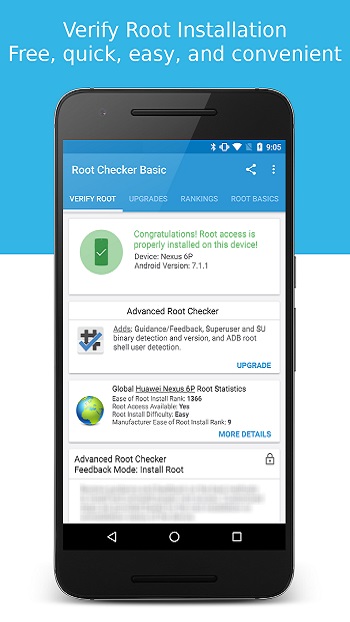
The app focuses on a straightforward task. It scans the device to find the su binary, a key file used by Android systems to grant root permissions. If the file is present and functioning, the app confirms that the device has proper root privileges. The process usually takes only a few seconds, making it useful for both beginners and advanced Android users.
A big reason people install Root Checker is convenience. Rooting a device can involve several steps, and sometimes users are unsure if the process worked. This app removes the guesswork by giving a clear result. When root management tools such as SuperSU or similar apps are installed, they may ask the user to approve the test request, allowing Root Checker to confirm the permission status.
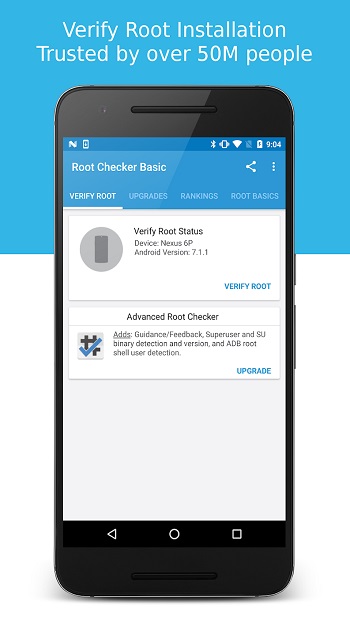
The interface is intentionally simple. Users open the app, tap the verification option, and receive a message that explains the device’s root status. There are no complicated menus or settings. This makes it accessible even for people who have never modified an Android device before.
Root Checker also helps in situations where someone suspects that a device might already be rooted. Some users want to confirm this before installing banking apps, security tools, or system updates. The app provides quick confirmation so users can better understand the current state of their device.
Still, the tool has a limited scope. It only checks root access and does not root or unroot a phone. Advanced troubleshooting features are minimal, and users looking for deeper system control will need other tools. Even so, Root Checker remains useful for anyone experimenting with Android customization, developers testing devices, or everyday users who want a quick answer about root status.
FAQs Root Checker
What is Root Checker APK used for?
+
Root Checker APK is an Android utility app that verifies if a device has root access enabled and checks if the su binary is functioning correctly.
How does Root Checker detect root access on Android?
+
The app scans the system for the su binary file and attempts to run a root permission request. If the request is granted, it confirms that root access works properly.
Does Root Checker root or unroot a phone?
+
No. The app only verifies root status. It does not modify the device, install root access, or remove it.
Is Root Checker safe to use on Android devices?
+
Yes. The app simply checks system files and requests permission through existing root management tools. It does not change system settings or install root access.
Who should use Root Checker APK?
+
It is helpful for Android users who have rooted their devices, developers testing system access, or anyone who wants to confirm if a phone already has root permissions.
Discover More Interesting Apps
-
 Mod
Mod
Cool VPN
v1.0.452
87.00 Mb
Updated -
Game Booster 4x Faster Pro
v6.8.6
16.00 Mb
Updated -
Mod
TLS Tunnel
v8.5.0
17.02 Mb
Updated -
Mod
Panda Gamepad Pro
v14
25.00 Mb
Updated -
HaloVPN
v19.6.3
99.12 Mb
Updated -
Call Recorder
v201.0
52.30 Mb
Updated -
NIL Club
v5.1.11
147.66 Mb
Updated -
Mod
ShareBox
v1.3.9
76.08 Mb
Updated -
GearUP Game Booster
v4.0.6
19.38 Mb
Updated -
Mod
Redfinger
v1.9.14.60
128.11 Mb
Updated










Share Your Thoughts